 FPS
FPSAll browser games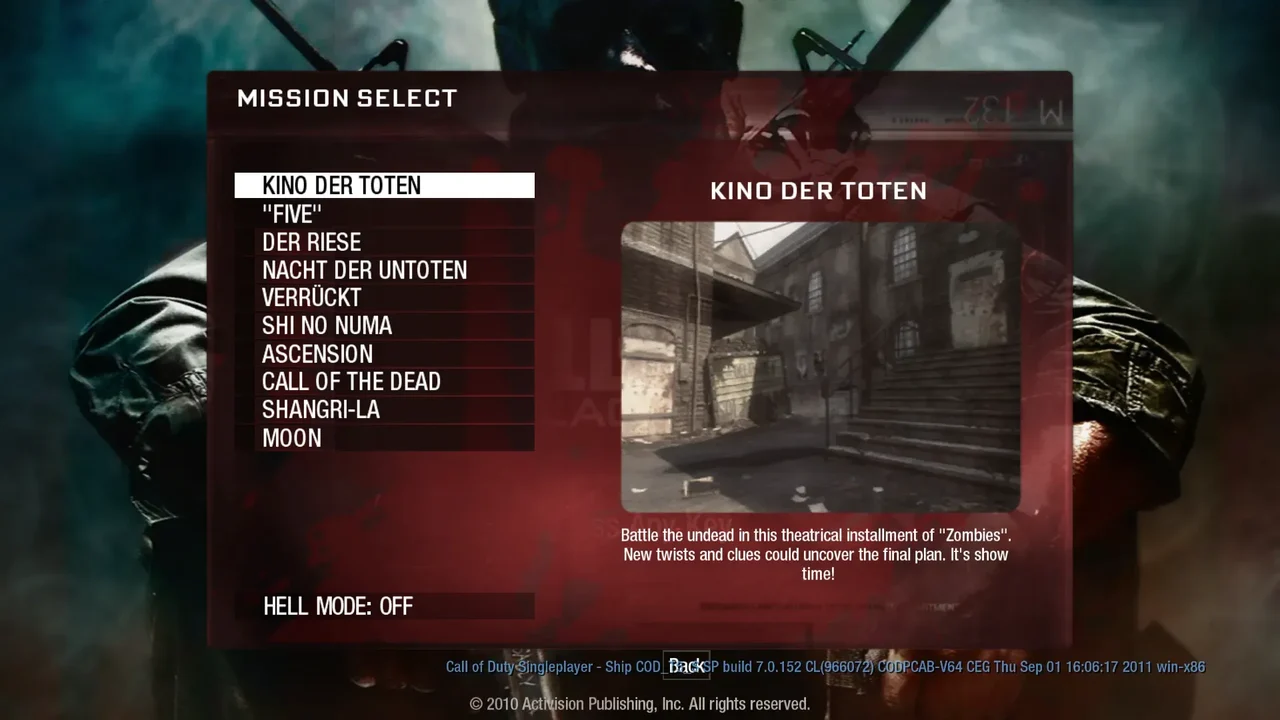 Survival
Browse multiplayer browser games FPS  Movement
 Sports
 FPS
FPS
SurvivalA classic, in your browser
Black Ops Zombies
One more round. Survive the horde in a fan-made browser build of BO1 Zombies.
Play in your browserOpens the community project in a new tab.Before you jump in
Choose a map to load its game data. First-time loading can take a while. This is a community browser build.
Project page & credits- Game files
- No game files to provide
- Controls
- Keyboard & mouse
- First launch
- Allow time for resources to load
Start here
How to play Black Ops Zombies in your browser
- Open the project’s map selector and choose Kino der Toten, Moon or another listed map.
- Let the selected map download; the menu loads only the map you picked.
- Click inside the game when it is ready and use the keyboard and mouse to play.
Project information reviewed 2026-10-11. The game runs on the linked project’s website.
Before you play
Which Zombies maps can I choose?
The project menu lists Kino der Toten, Five, Der Riese, Nacht der Untoten, Verrückt, Shi No Numa, Ascension, Call of the Dead, Shangri-La and Moon.
Why does the first map take time to start?
Choosing a map starts its own game-data download. Keep the tab open until that download and the opening sequence finish.
What if an old Kino link opens an unrelated website?
Close that page, return to vel.gg/bo1z and select Kino der Toten from the current map menu. Moon is also available through that same selector.
Keep the good times going
All gamesFPSMovementSportsFPSRevisit the ring in a community Halo CE port, with campaign and private rooms.
Open project