Krillion
Dive through seven daily trivia prompts on kp’s original Krillion. Find a valid answer other people are less likely to think of to reach deeper tiers.
Find rare correct answers in Decka’s free browser trivia game. Choose an ocean dive or an underground dig, with seven new prompts per game and 25 seconds per answer.
Play in your browserOpens the community project in a new tab.The solo game opens on Decka and needs no sign-up, installation or extra game files. Each run deals seven new prompts, and you can replay without a daily limit. Rarer accepted answers take you deeper through the ocean or underground world. Best depth is stored in this browser separately for Dive and Dig. The game is in English; changing this guide’s language does not translate it. Decka also offers a separate live group version with a free host account, where matching answers reduce depth. This listing covers the solo Play entry.
Project page & creditsProject information reviewed 2026-11-09. See the launch notes for where the game runs and which files it needs.
Dive through seven daily trivia prompts on kp’s original Krillion. Find a valid answer other people are less likely to think of to reach deeper tiers.
Guess the most common survey answer and climb on balloons in Daily’s free browser quiz, with Classic, Endless and live multiplayer.
Answer five daily geography prompts by pinning countries on a world map. A less obvious correct country takes your expedition further.
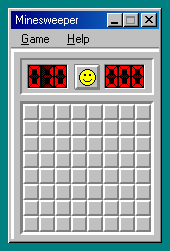
Reveal safe squares by reading adjacent-mine counts, and flag suspected mines without clicking them.